
iqToolPro
Configure, watch and test IO-Link devices:
- am PC: iqToolPro 1.0.0.21
- or direct in the browser: iqToolPro online
iqToolPro brings configuration, visualization and validation of IO-Link devices together in one
tool. It works with the SMI iqLink and with iqInterface / iqLink, reads the device's IODD itself and so shows every value with its name, unit and valid range.
It can be used as a developer or presentation tool
- Built-in IODD interpreter
- Read/Write raw Process data and parameters
- Data storage // Read, save and write back the master's parameter set
- Dashboard // Your own device view
- Visualisation // View parameter changes during the time
- Device validation // Fast parameter structure on device validation, according to IODD
- Can be run as Desktop (Windows application, no installation required) or online in browser (no application required - direct in Internet)
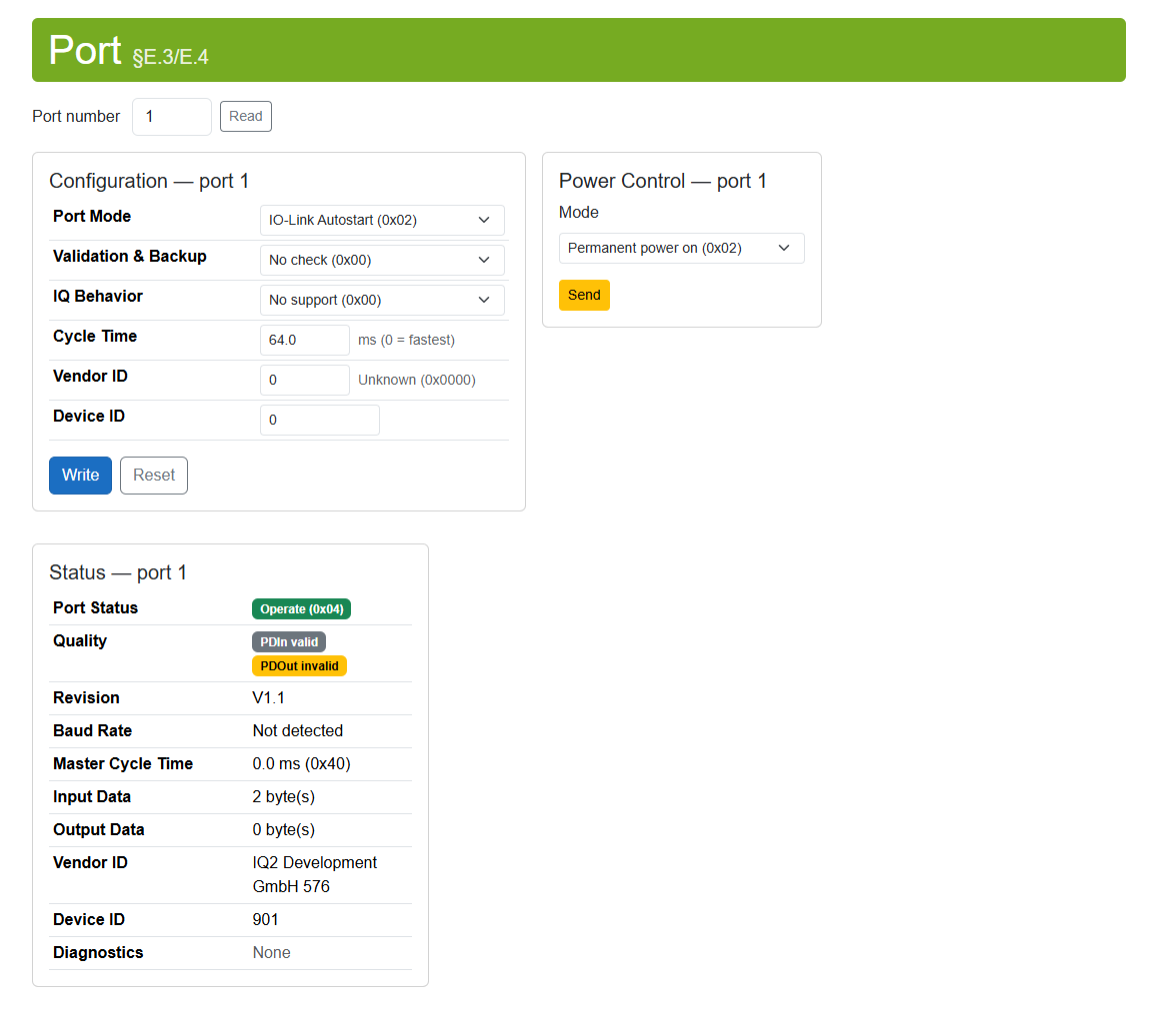
Port configuration and status
- Read, change and write the port mode, validation & backup, IQ behaviour, cycle time and the vendor and device ID.
- Switch port power on or off permanently – or off for a set time (new SMI iqLink only).
- The status is refreshed every second: the port's state, the identity of the connected device, the port quality bits and the master's diagnostic entries.
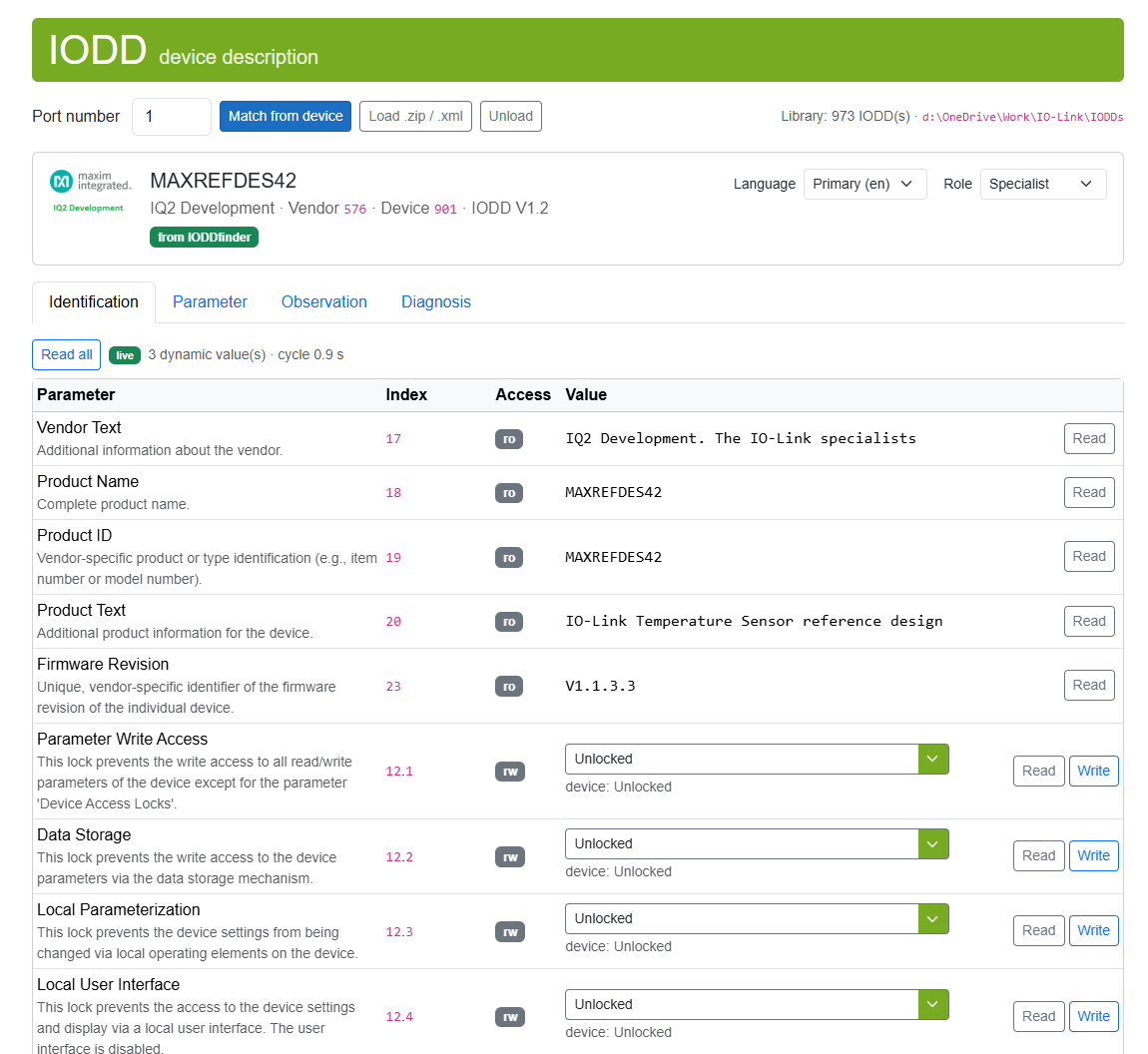
Built-in IODD interpreter
The IODD will be downloaded from IODDfinder. Loading unpublished IODDs as .zip or .xml is supported.
Parameters appear the way as defined in IODD, in the chosen language and role (operator,
maintenance, specialist). Every writable parameter has an input that states the permitted range and
rejects invalid values as you type. Dynamic values are read again continuously.
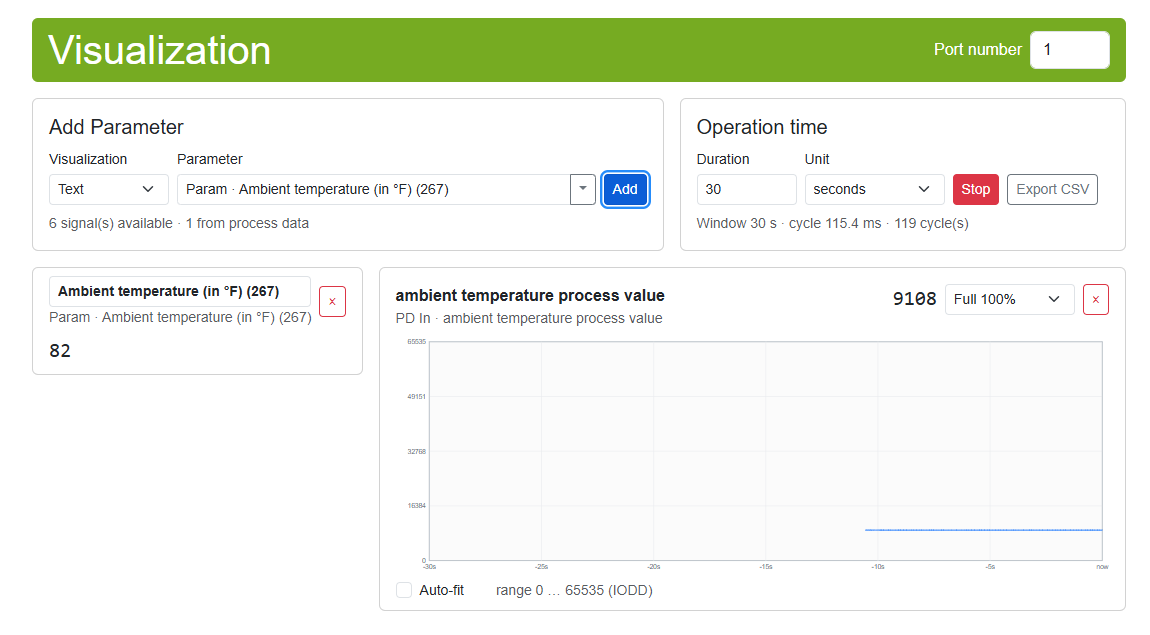
Visualization
Chosen process data and parameters as a value or as a curve over a time window of your choice –
scaled to the range from the IODD, or automatically to the measured values.
Export CSV saves the measurement: one row per cycle with a timestamp, one column per signal with name and unit – ready for Python, MATLAB and other analysis tools.
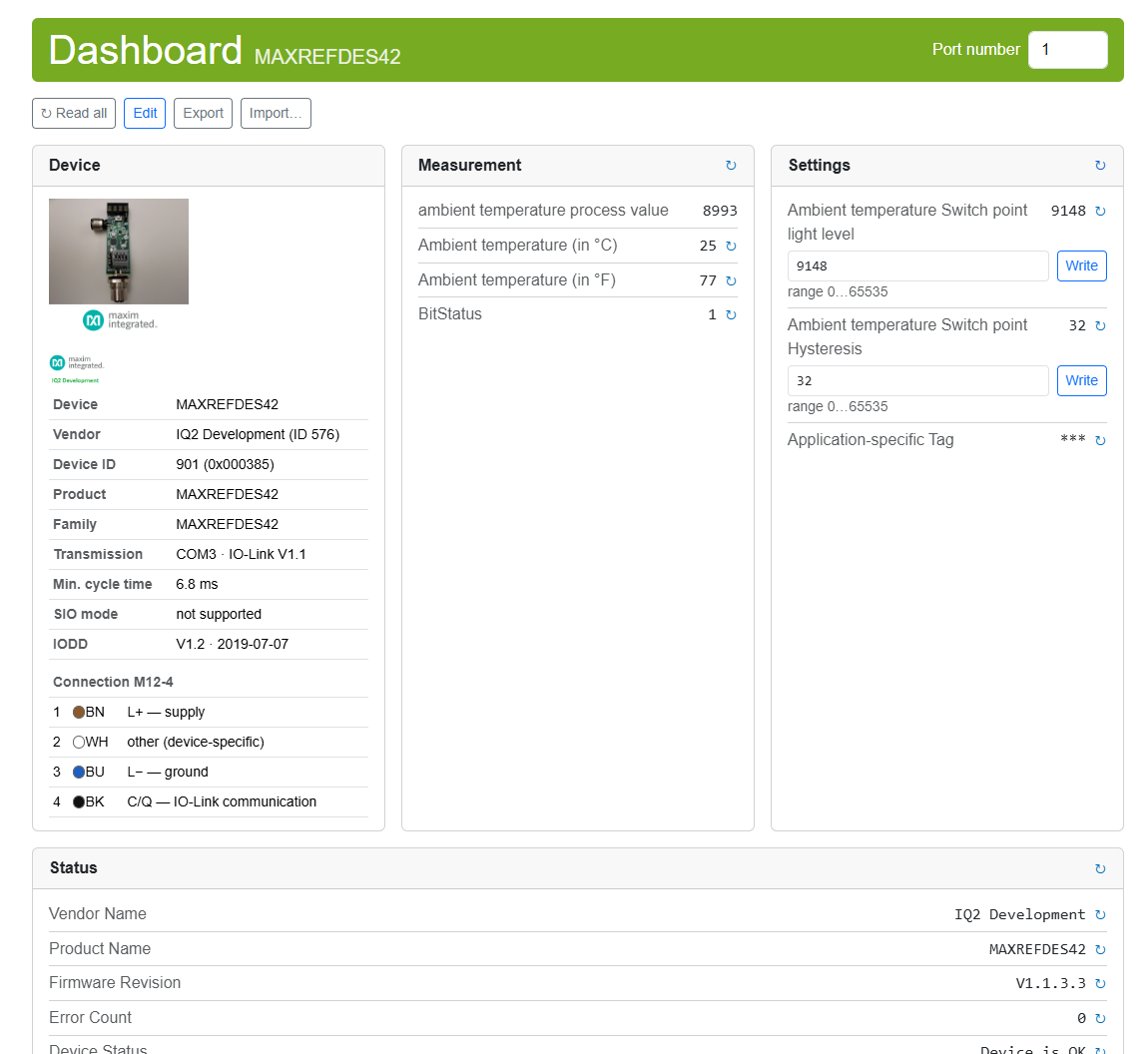
Dashboard
A view of the device with only what you want to show: named panels with parameters, process data,
commands and the device identification – with vendor logo, device picture and connector pinout.
Save dashboards as a file and open them on another PC or in the browser version – so you can prepare
a view for your customers.
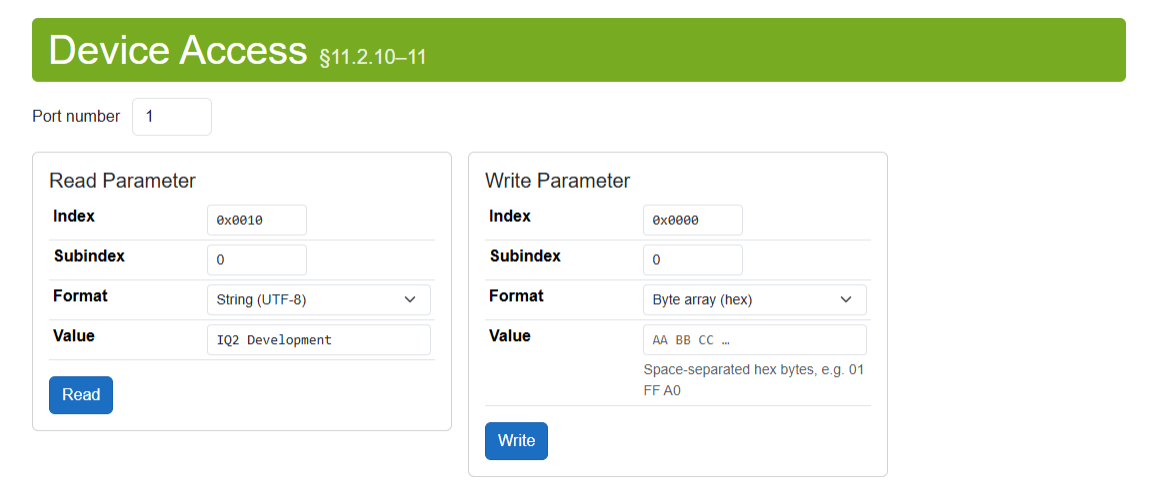
Read and write Process Data parameters directly
Any parameter by index and subindex – even without an IODD. Values as a byte array (hex), decimal,
hexadecimal or UTF-8 text; reading and writing each have their own panel.
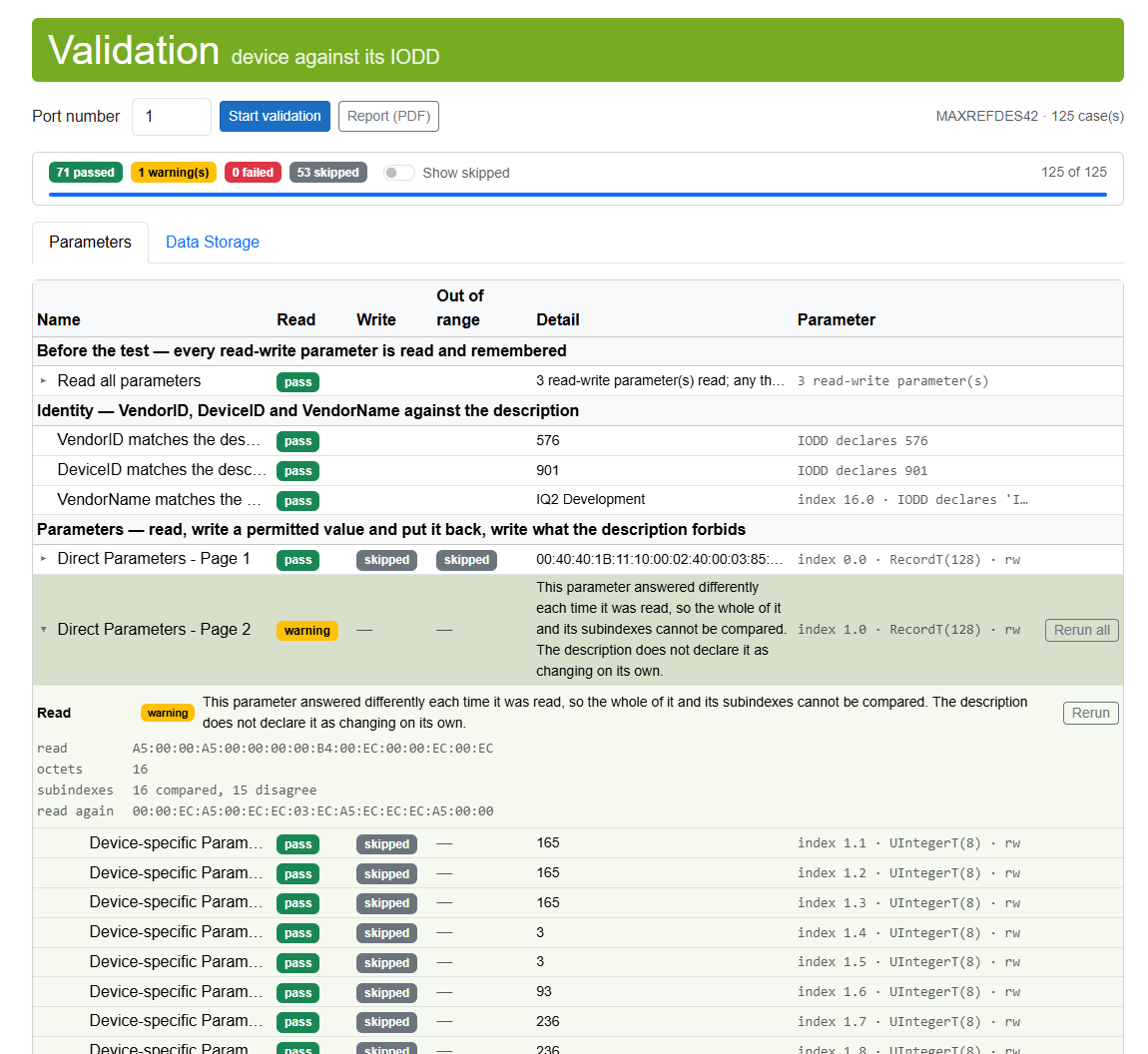
Device validation
Tests a device against its own IODD. The Parameters tab reads every parameter, writes a
permitted value and reads it back, and sends a forbidden value the device has to refuse. You see the
complete test plan before the first value is written.
Every run puts the parameters back at the end – after a failure or a cancel too. With a new SMI iqLink,
the Data Storage tab tests backup and restore through the master in seven steps. Save the result
as a PDF report, with every failure and warning in full.